
Contents
Accessing data via BigQuery
Once you are all setup, your processed data will live in BigQuery.
The primary tables you’ll be interacting with are the Output Tables.
There are a number of GA4 tables generated they broadly group into:
- Lookup tables - These let us map one value to another
- Staging tables - These are tables we use to build the output tables.
- Output tables - There are the primary tables you’ll use for analysis and reporting.
How do I see these tables?
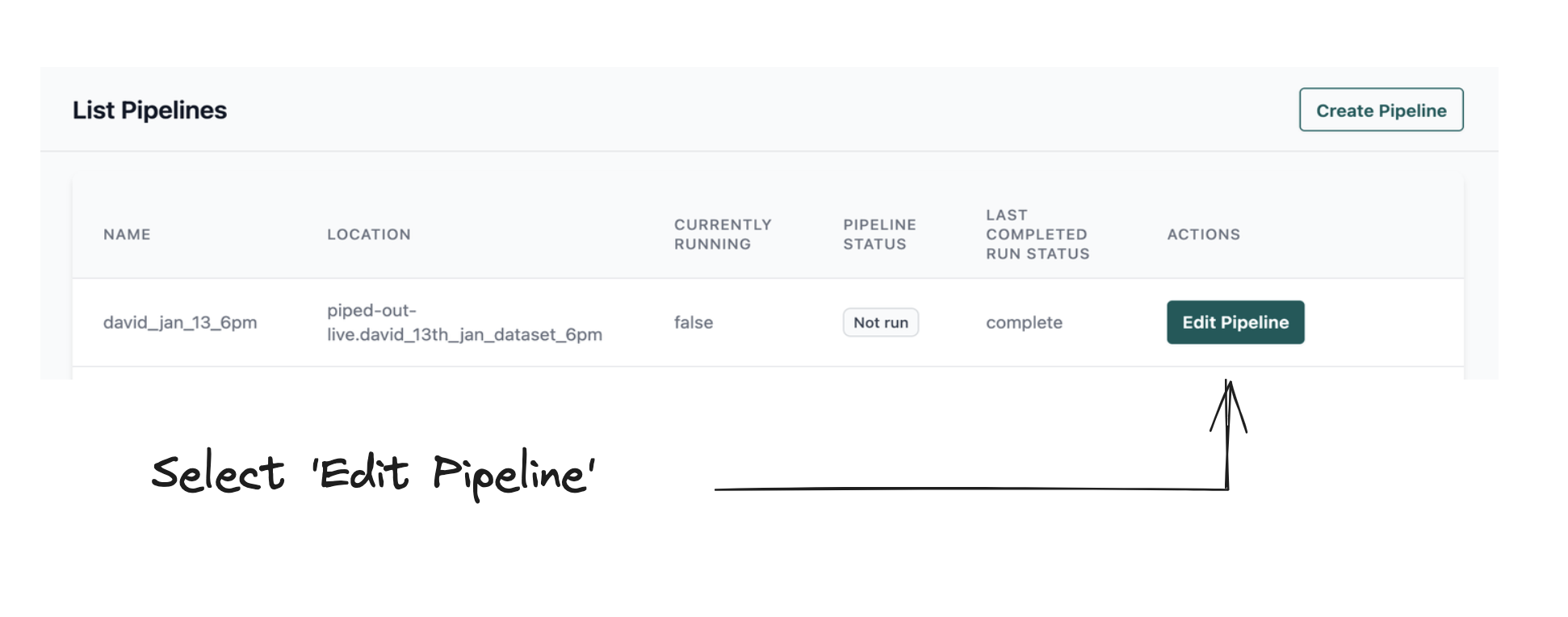
Step 1: Go to your Pipeline, select the specific Pipeline you want to view
Navigate to List Pipelines and from there you can select your Pipeline.
Then scroll down to Pipeline Actions and then "Select View in BigQuery."
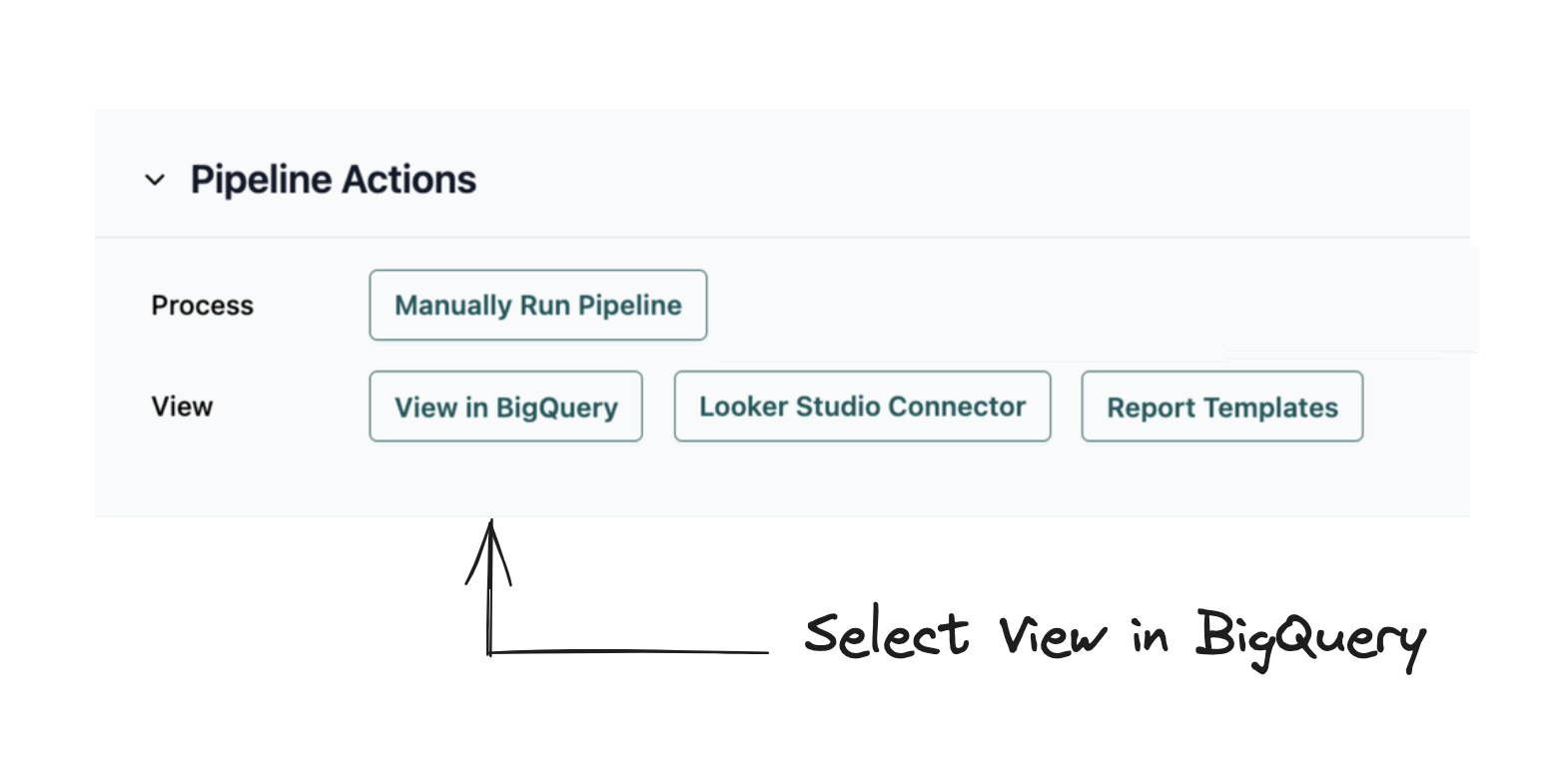
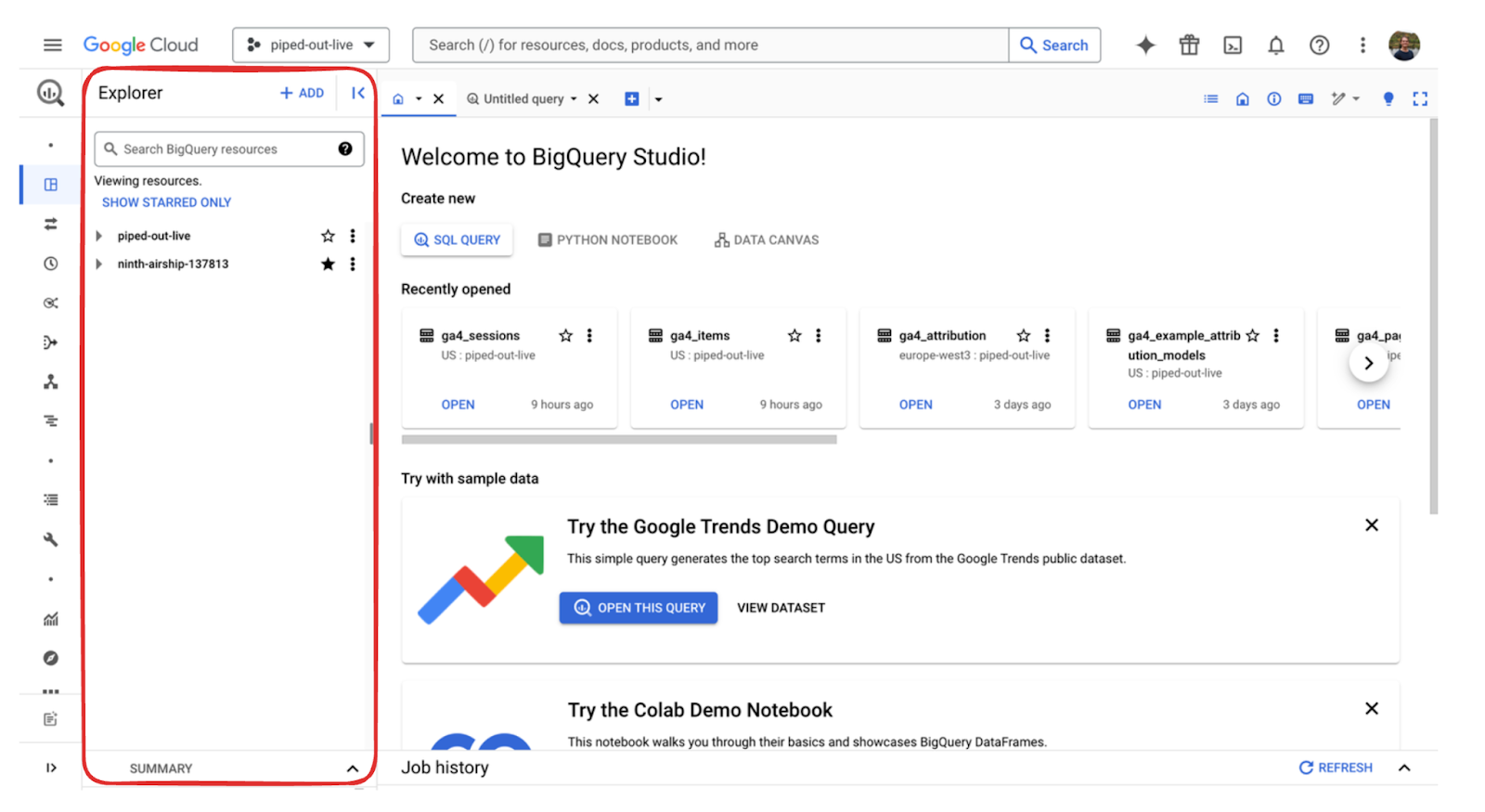
Alternatively, you can go directly to BigQuery Console.
Step 2: Go to Explorer on the left hand side and select the appropriate folder path.
Step 3: Search for the different output tables, which all start with ga4_mrt
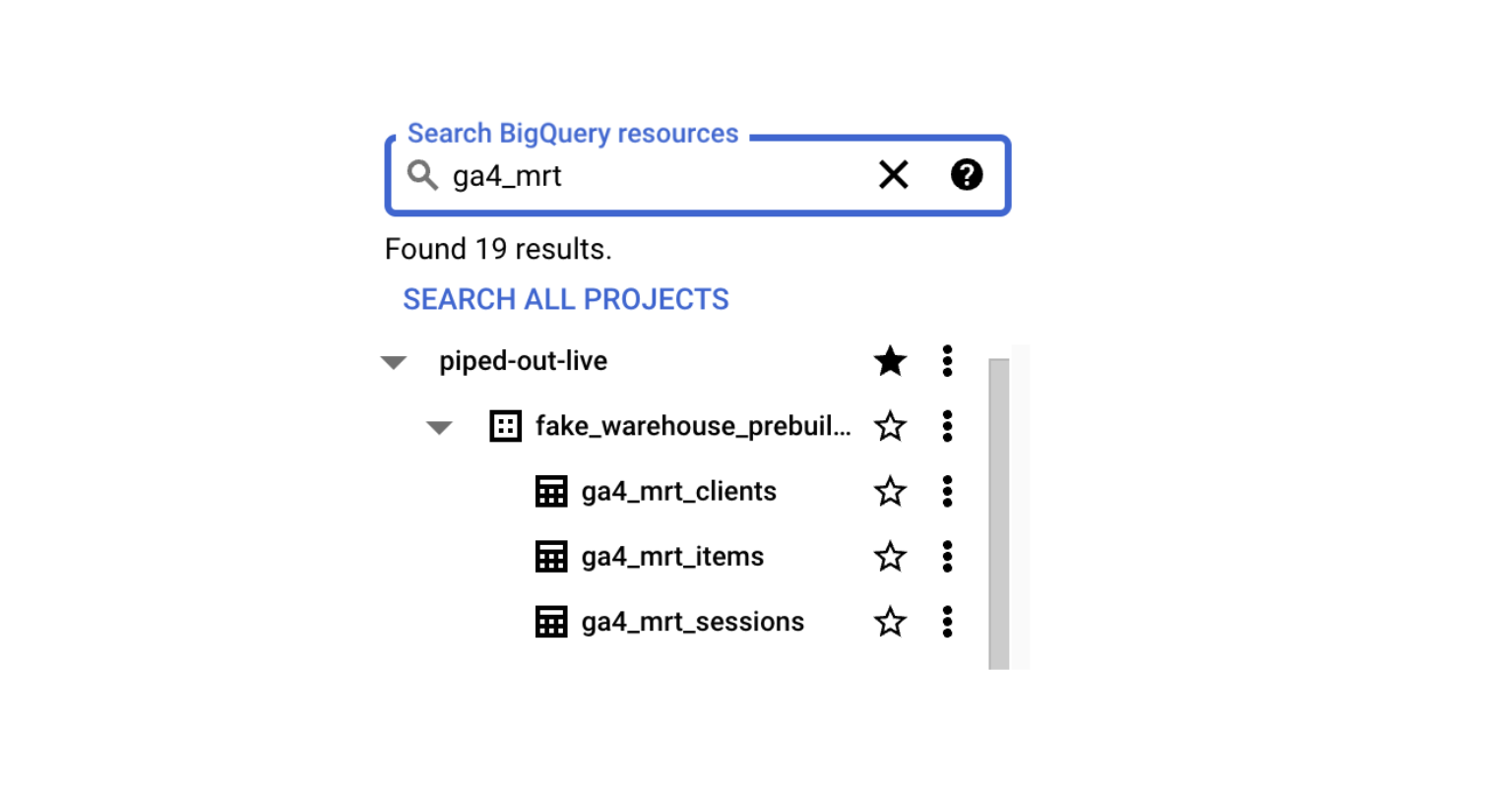
Example Tables
The key tables are:
ga4_mrt_clients– Client-level data (e.g., device + browser)ga4_mrt_sessions– Session-level dataga4_mrt_pages_daily– Page-level data
Optionally:
ga4_mrt_items– Ecommerce item-level dataga4_mrt_users– User-level data (only populated if User ID is set up)ga4_mrt_attribution– Attribution models for conversions