
Contents
Building Custom GA4 Session Dimensions
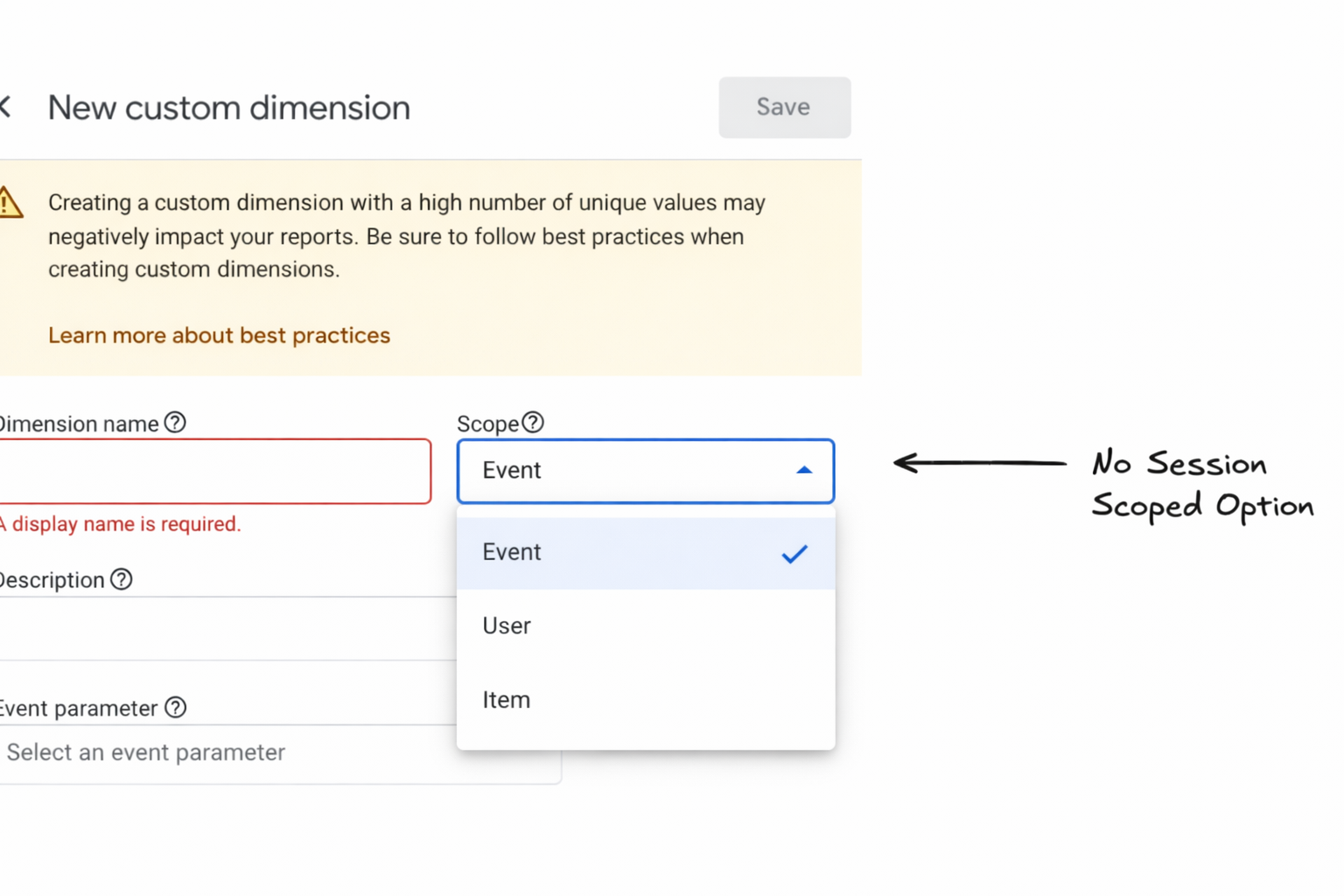
GA4 doesn’t allow you to create custom session level dimensions.
But don’t worry, with your raw GA4 BigQuery data, you can.
Why bother with session dimensions?
Most users don’t buy in one visit.
Digging into individual sessions helps you better understand how users behave on a more micro level, and can help you develop a strategy/ tactics to help them convert sooner.
How are session dimensions built?
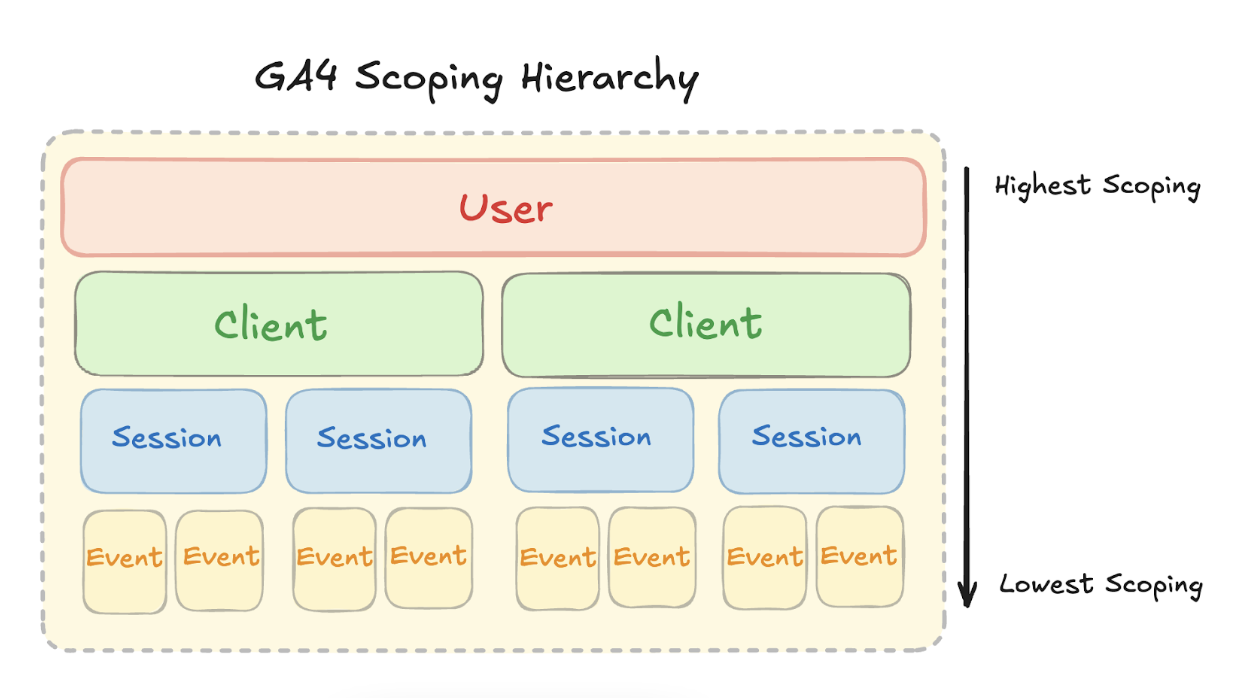
Sessions are built from events that share the same Session ID.
The way that scoping works in GA4 (read more here) is that events are the core of the GA4 data model.
These can then be rolled up into sessions. These are also tied to users.
GA4 segments are not dimensions
Segments are essentially just filters.
They apply “rules” on top of your data, which are basically a set of conditions i.e.
- Users who came from Organic Search
- Users who come from a specific country.
- Users who visited the pricing page.
In your Explorations, GA4 uses those rules to return the users/ events that match those conditions.
This is limiting, though, in three key ways:
- You are not adding new data or columns to your data to be used in BigQuery or Looker Studio connector.
- You HAVE to use Explorations. Boo.
- You can’t pull more specific fields that aren’t filters i.e. last page before converting.
Creating custom session dimensions based on your business
It’s easy to measure conversions…
But custom dimensions tell you how valuable customers are before they convert or can help to think strategically/ tactically about how to change their behaviour.
With that in mind…
Ecommerce Session Dimensions
The question we want to be thinking about is:
“How can we tell valuable actions before (or after) converting?”
If you’re an eCommerce site, your primary focus is going to be on revenue and helping people convert within the session. You’ll also want business intelligence on how users are interacting with the site.
Example: Sessions which include:
- Clicks on suggested products
- Pageviews to particularly high value sections e.g. wedding or diamonds
- The last page before conversion
- The number of on-site searches
- Pageviews on products that are out of stock
B2B SaaS Session Dimensions
The buying cycle for B2B SaaS tends to be longer, so we want to think about which actions indicate that a user is expressing interest/ or not expressing an interest.
Example: Sessions which include:
- Pageviews to a pricing page/ contact us visit
- User journeys from the Blog > Solutions page
- Only blog pageviews (less useful)
- Pageviews on upcoming events.
- Pageviews from logged in users looking at upgrade pages.
Subscription based model
Websites with subscription based models often have incentives to help drive new business such as free trials etc.
With each session, we want users to convert.
We also want to understand where users are not progressing further.
Example: Sessions which include:
- A user starts a free trial process but doesn't complete.
- A user visiting via Paid Search channel and dropping off.
- A pageview on the cancellations details before signing up (likely to not continue).
- Pageview on the premium subscription without converting.
How to create bespoke session dimensions.
We can be very flexible with how we create these session dimensions using the raw BigQuery data.
The key principles of creating session dimensions are:
- Getting all the events which fall in a specific session.
- Choosing a dimension to apply to all events within that session in a new field.
Let’s walk through an example of creating session scoped traffic dimensions.
Example 1: Creating Session Medium & Country Dimensions
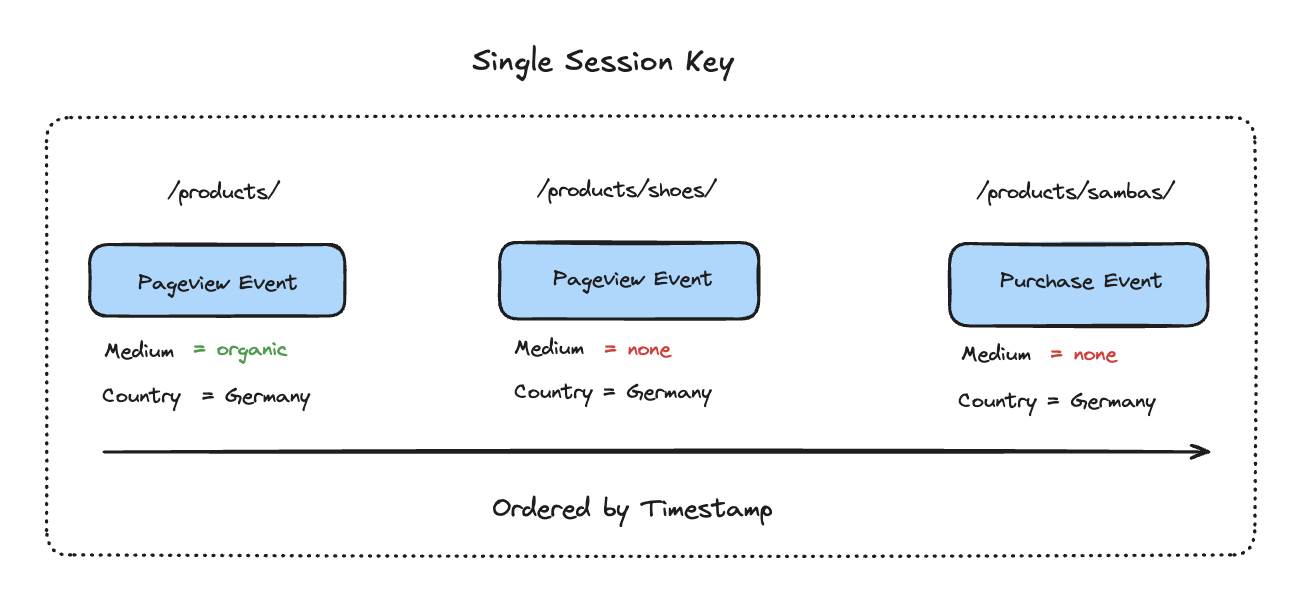
Here we have a single session with two pageviews and a purchase conversion.
Step 1:
At this stage, we only have event level traffic information - nothing at session level currently. The first thing we need to do is get all events from the session and order by timestamp. This means we can see which event came first.
Step 2:
To create session level dimensions, what we need to do is take the earliest (non-null) Medium and Country and duplicate this across all events in the session.
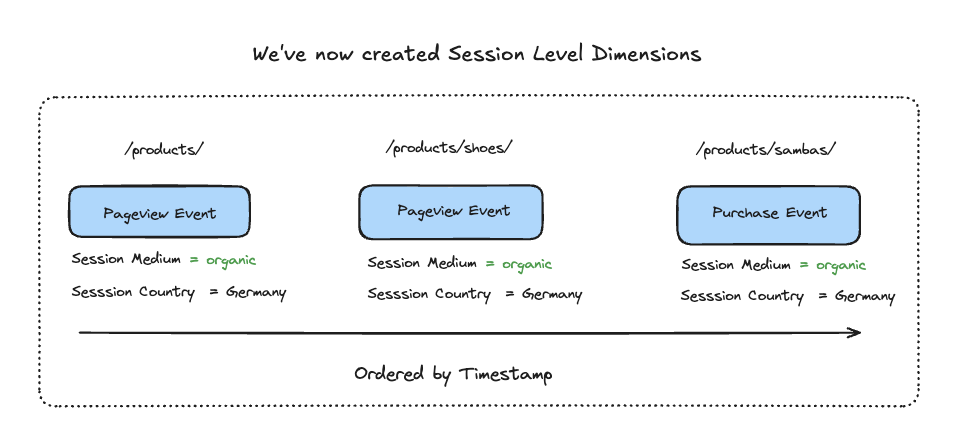
There we have it.
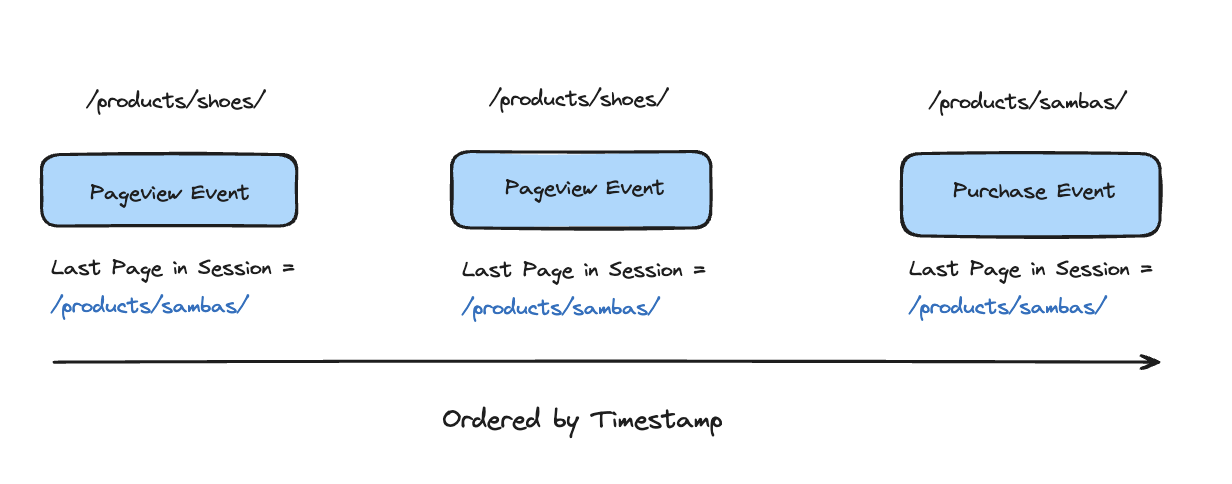
Example 2: Creating Last Page in Session Dimensions
Step 1: We can apply the same logic, but look for the last event in the session instead of the first.
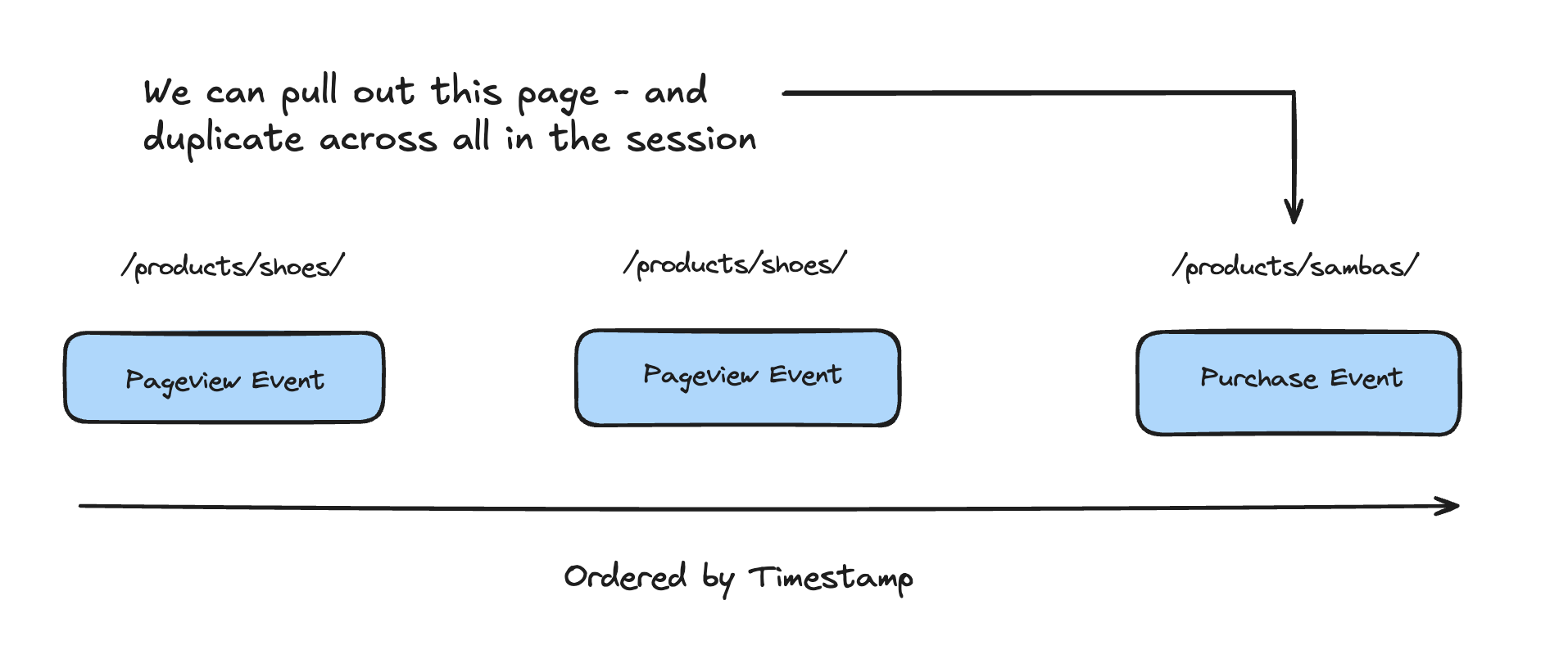
Step 2: We can apply this to all other events in the session
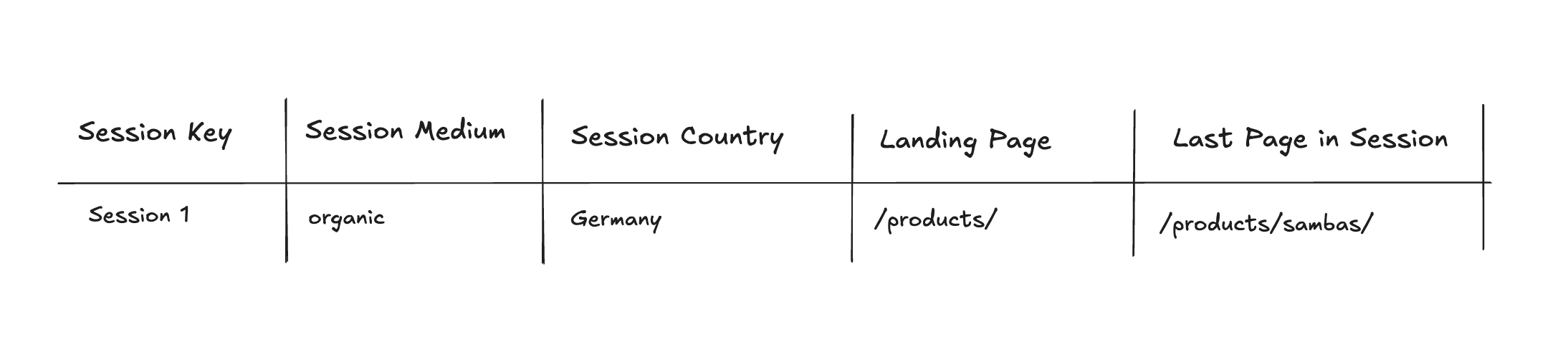
When we then come to view our data in a table on BigQuery or Looker Studio, we can see that for each session we have our session level dimensions.
Building Session Properties is easy on the Piped Out Interface
When you set up your GA4 Pipeline, we have a simple interface for you to set these up.
We have some standard templed session dimensions:
- Session Last Page
- Last Content Page
- Searches Count
- Session > 5 Pageviews
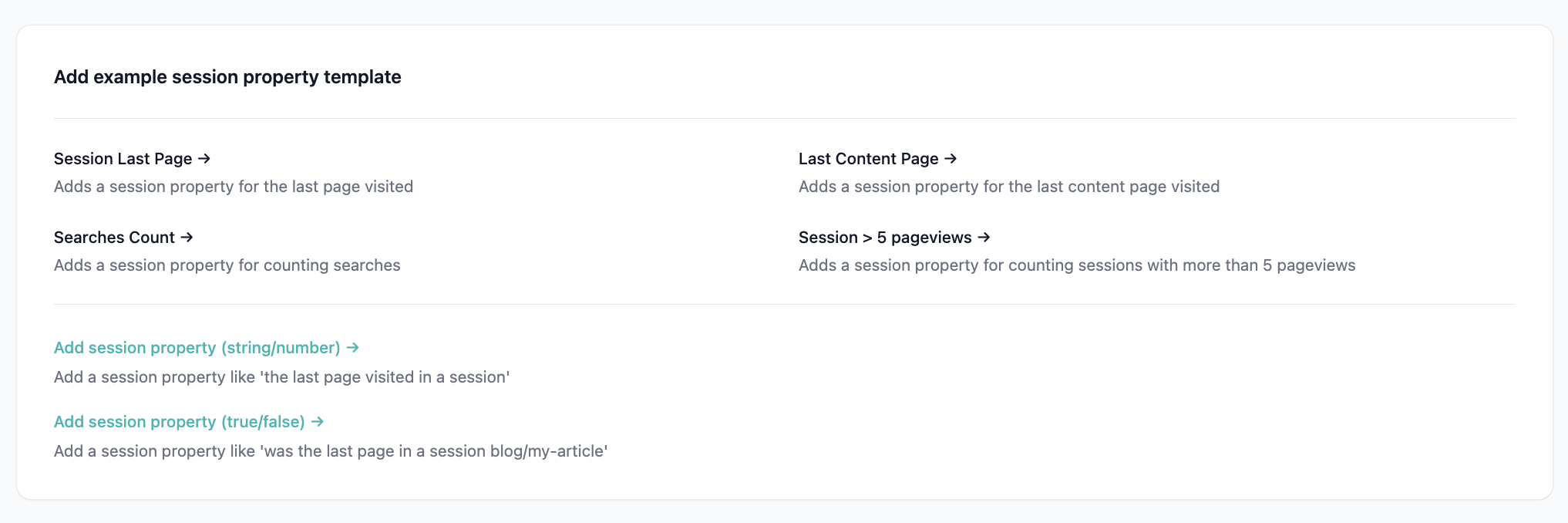
You can also configure/ adjust these templates based on your needs:
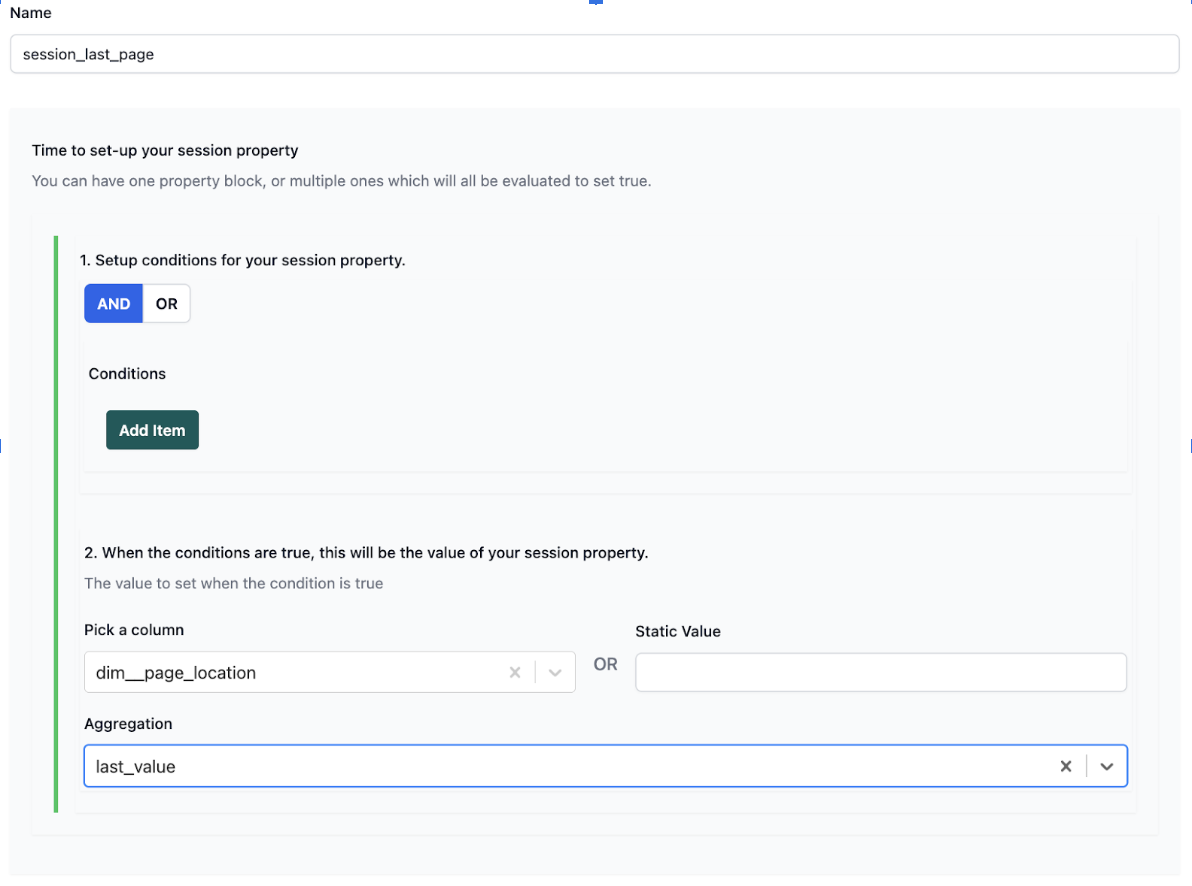
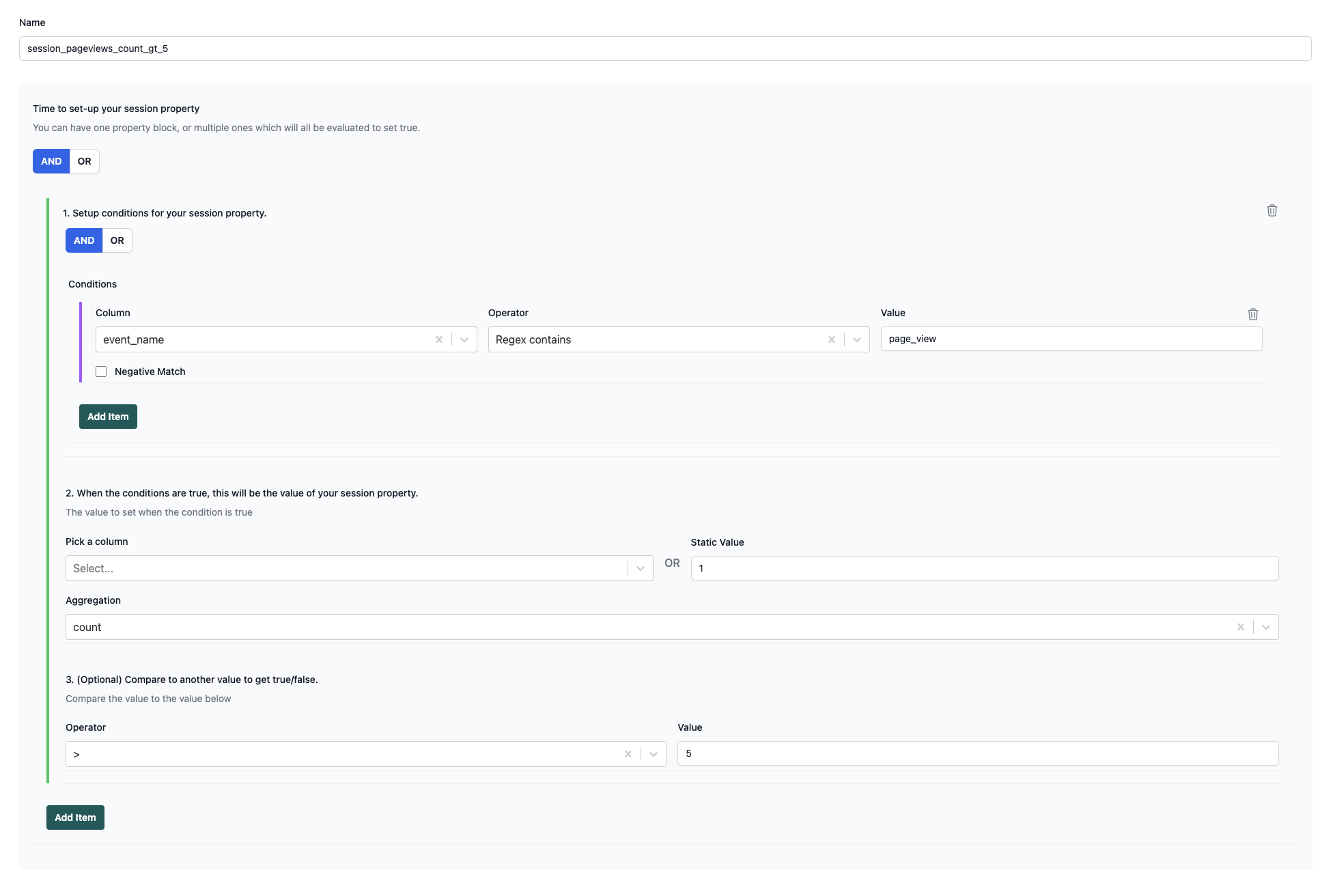
The key decisions when building these session dimensions are:
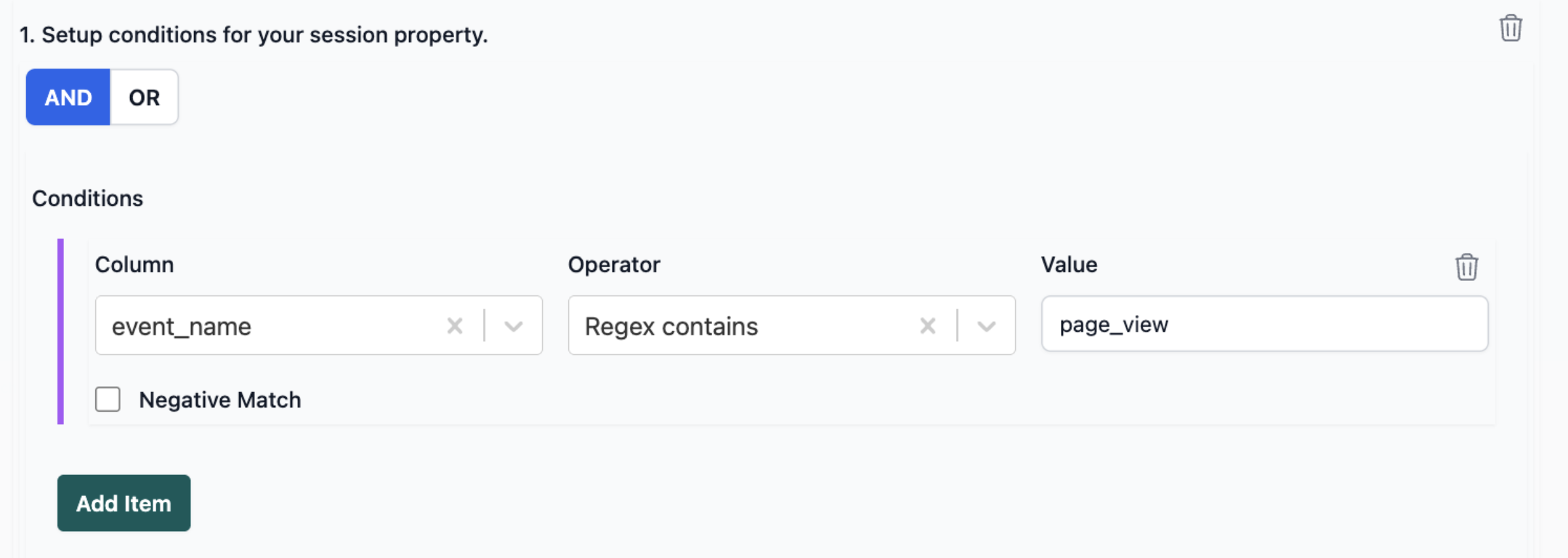
- What conditions there are.
For Sessions with 5+ pageviews, the key conditions are that the event name is page_view
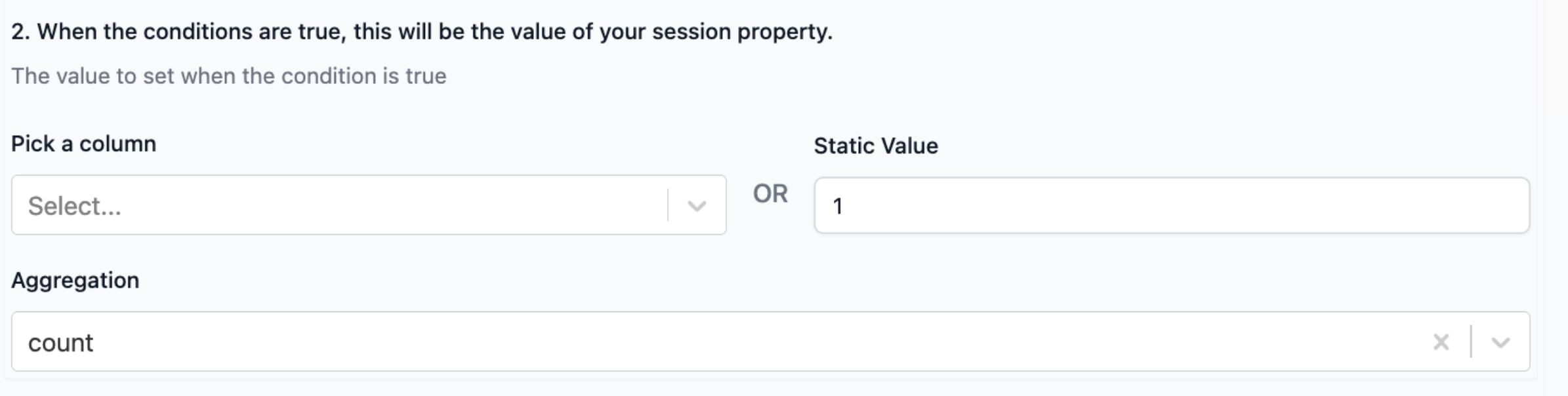
- When the conditions are met, what value do you want to return? In this case, just 1 and the aggregation is count.
Interested in using Piped Out?
Our Pipeline GA4 is specifically designed for pipelining your GA4 BigQuery data.
If you want to build sessions or user dimensions, the interface makes it super simple and is an excellent solution to help you do all of this without hiring a data engineer.
You can configure through a UI and then work with the data directly in Looker Studio, or connect to our prebuilt tables without any complex SQL.
You can schedule a call if you’d like a demo.