
Contents
Why Finance Wants Precision, and Marketing Needs Direction
There is a lot of money being wasted on getting analytics to track everything.
“Our GA4 data isn’t accurate”
“This doesn’t lineup with our CRM numbers”
Etc. etc.
But you don’t need 100% accuracy. You’re not finance and you don’t want to be.
The kind of tasks we have as marketers are things like:
- Improve conversion rates
- Find the best campaigns and channels
- Fix user journeys
- Better educate & convince buyers with content etc
Marketers need enough data to make decisions and create a strategy.
Finance needs to keep track of all the money. And if you’re a public company it's a legal requirement.
Your analytics data is always sampled.
Your data isn’t wrong, it’s sampled. And you literally can’t stop it.
Why is it sampled? There are a couple common reasons:
- Ad blockers
You can avoid some of this server side.
- People who decline cookies
You can't legally dodge this one.
- Browsers have privacy focused cookie controls
You can’t dodge this.
- Bad analytics setups
You can dodge this one.
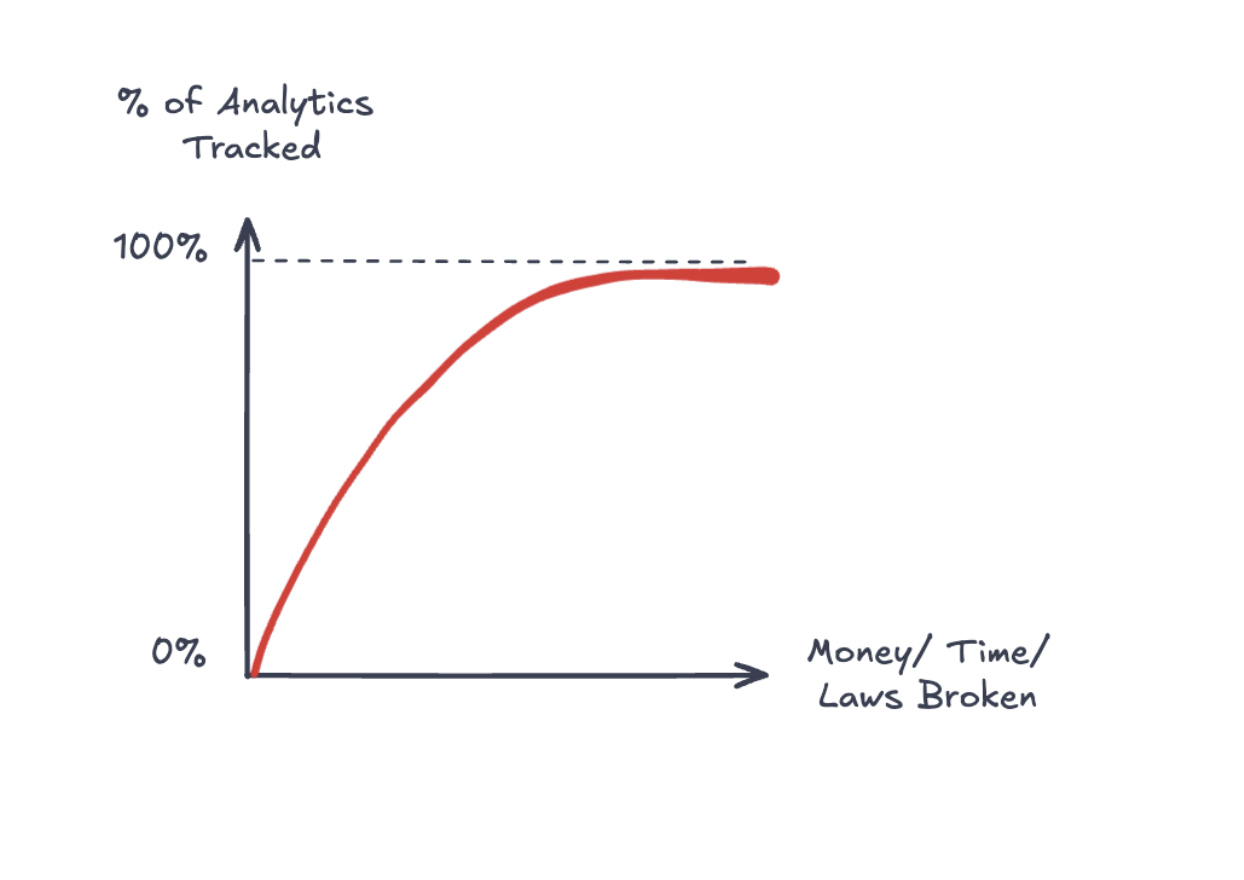
You can’t remove all of these problems without spending a lot of money or breaking some laws. You’ll hit diminishing returns.
What should you fix?
Here’s a quick list:
- Make sure your data isn’t sampled once it is tracked.
- Pull in extra context like actual revenue to make non-sampled bits more accurate.
- Check analytics against financial numbers
- Fix any obvious cookie layout things.
- Server side tracking
Let's jump into it.
1. Make sure your data isn’t sampled once it is tracked
You want to maximise the data that you can actually track.
Example: Your GA4 data is heavily sampled in the interface/ or the API. Export your data to BigQuery where you get the unsampled data with no sampling/cardinality.
2. Pull in extra context to make non-sampled bits more accurate.
Your backend (i.e. CRM, ecommerce backend) has all the rich conversion data. This should collect everything, all conversions, purchases etc.
Your GA4/ analytics data, is sampled in one way or another and crucially has less accurate conversion data, but it does have the user journey.
E.g. you’ll have form fills, but not lead quality. You’ll have purchases but not refunds, but not profit. You should take the richer conversion data and attach it to GA4 so you can better value users.
3. Check analytics against financial numbers
These will (most likely!) not be the same.
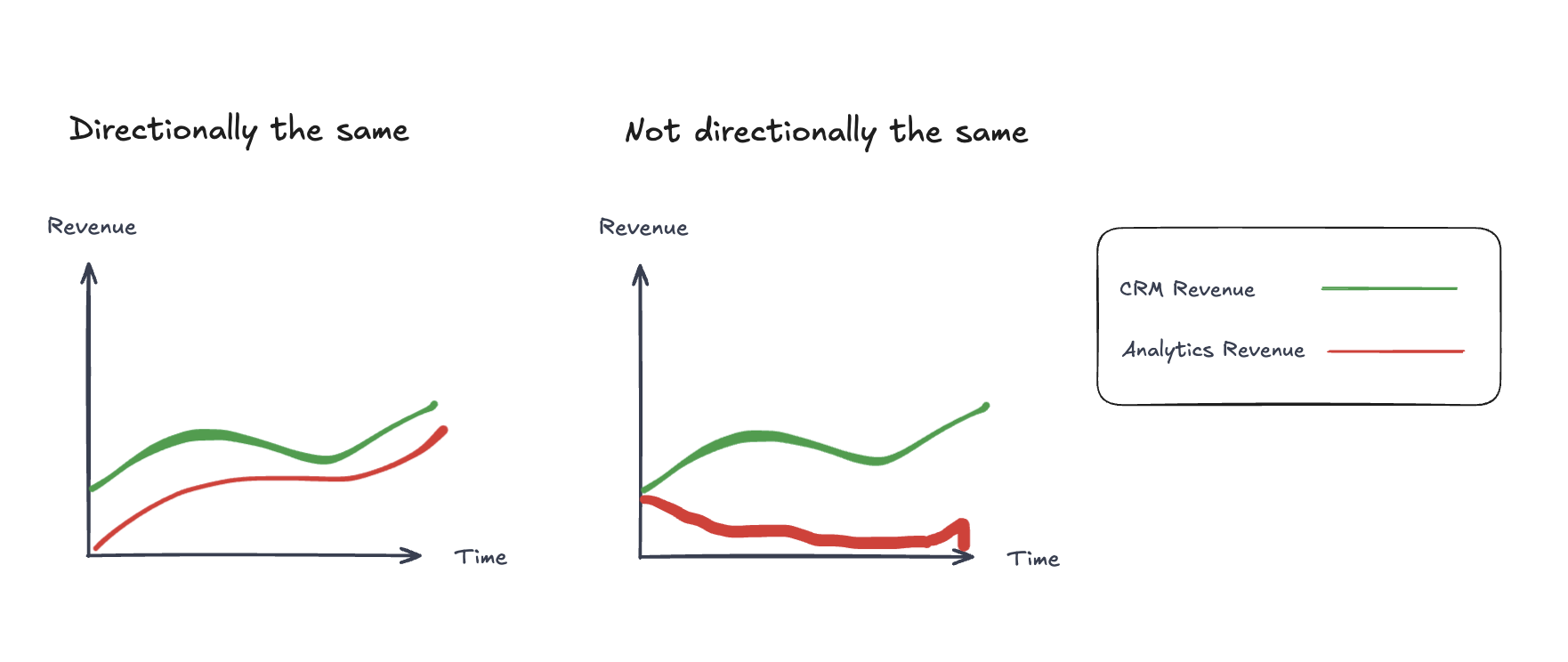
What you do want to check, though, is that the numbers are directionally the same.
If your recorded revenue is in a completely different direction to your analytics revenue, then you have a problem and you’re probably not making great decisions.
4. Fix any obvious cookie layout things
Your cookies need to be compliant with GDPR or whatever other local laws apply to you.
But you really need people to make this decision on the first page. If they don’t you lose the referral source.
This means you lose visibility into where that traffic came from which is really valuable.
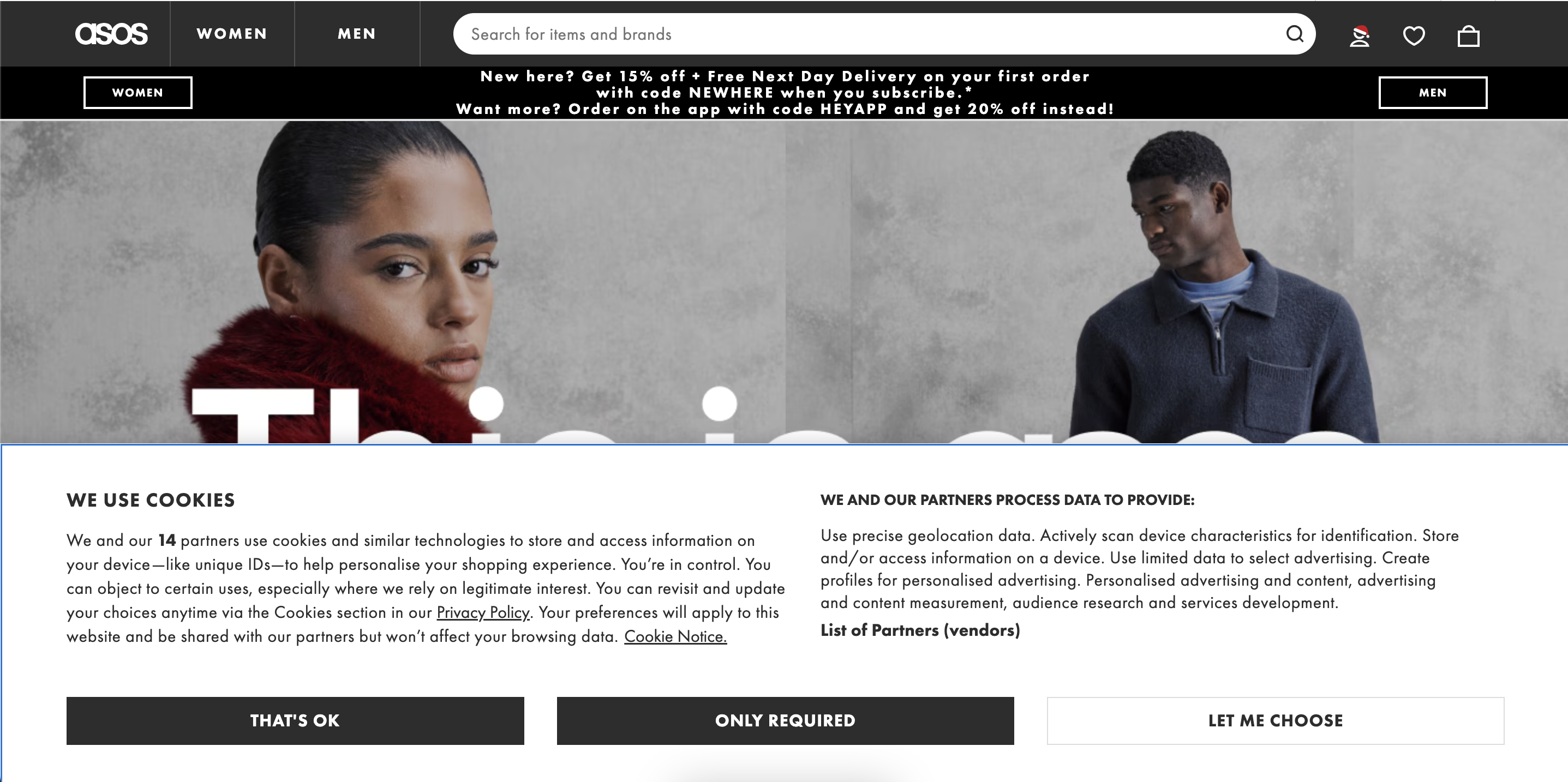
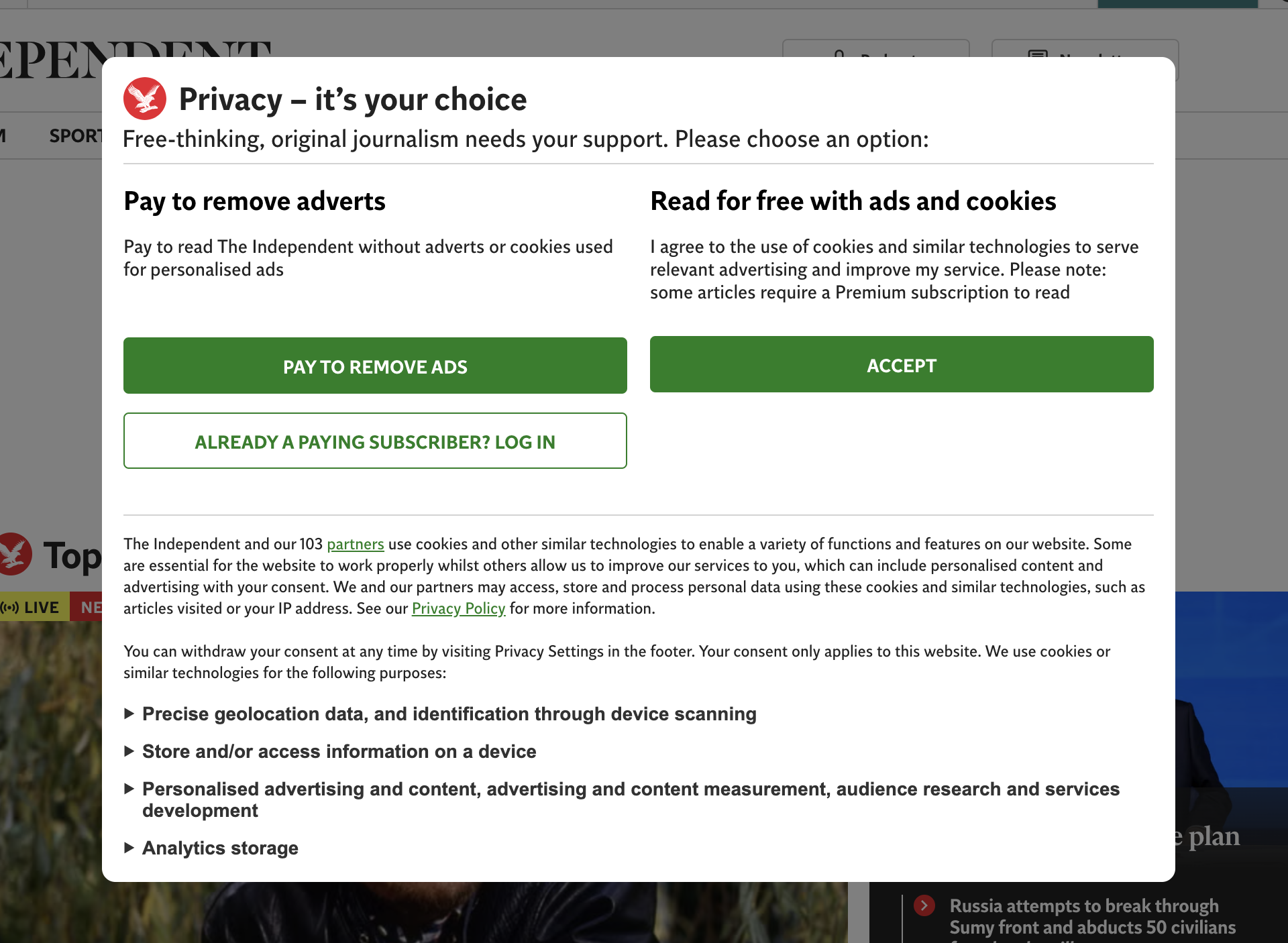
The primary mechanism here is to block enough of the site so as to force the decision immediately.
Here is the very large ASOS cookie banner:
Or a total block like the Independent:
5. Server side tracking
Tracking analytics on your own server first, instead of the user's browser (i.e. client-side) means that you collect more analytics data.
You get to use first party cookies which allows you to better identify users over long periods of time without hitting ITP 2.0.
It also technically allows you to bypass ad-blockers although is something of an arms race and you do run into ethical questions.
Struggling with sampling and joining your GA4 data?
We’ve built a product specifically for building pipelines for you GA4 BigQuery data.
If you’re struggling with sampling or joining data, GA4 Pipeline is an excellent solution to help you do all of this without hiring a data engineer to get the pipelines running.
You can configure through a UI and then work with the data directly in Looker Studio, or connect to our prebuilt tables without any complex SQL.
You can schedule a call if you’d like a demo.
Or you can hop in straight away with a free trial and start playing around!